A character list for your whole cast
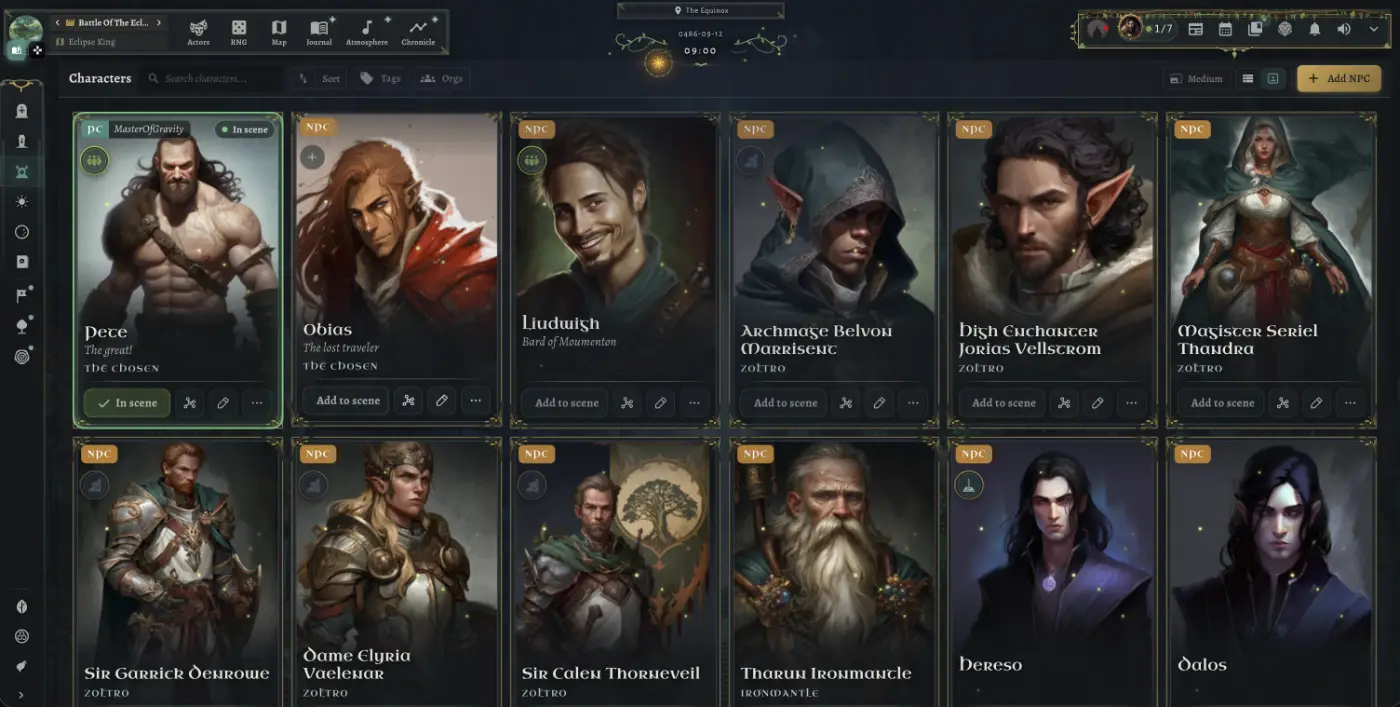
The character list in WorldMaster RPG shows every player character and NPC in a campaign as a portrait card with their name, title and faction. You can search it, sort it, filter it by tag or organisation, and put a character into the current scene straight from their card.
What does the character list show?
Each character gets a card with their portrait, name and title, and the faction they belong to. Player characters are marked PC and show the player who owns them; everyone else is marked NPC. A character without artwork gets a drawn silhouette, so the list never fills with blank boxes.
- PC and NPC badges, with the owning player on every player character
- Name, title and organisation on each card
- Four card sizes from small to extra large, or a compact list
- Search, sorting, and filters by tag and organisation
How do I bring a character into the scene?
Press Add to scene on a card and the character joins the active scene; the card then shows that they are in scene. From the same card you can open their relationships, edit them, or reach the rest of their actions, so running a busy session never means hunting through menus.
Frequently asked questions
Can players see every NPC in the list?
No. Players see the characters you have made visible to them, and only the names and details their characters know.
How do I find one character in a big campaign?
Search by name, or filter the list by tag or by organisation to narrow it down.