Create from a picture with one drag
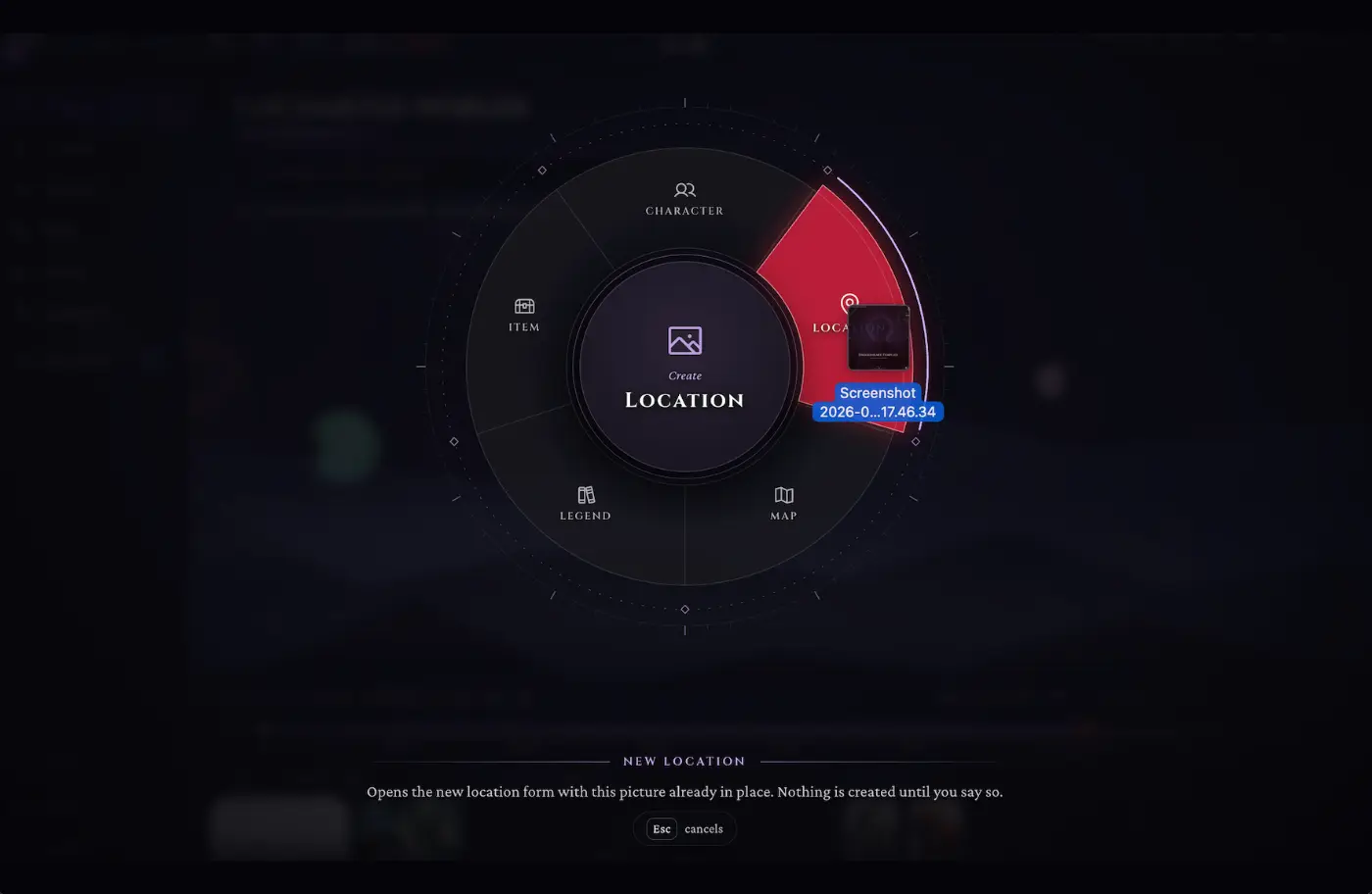
Drag-and-drop creation in WorldMaster RPG turns an image into a new campaign entry. Drop a picture from your computer into the campaign, choose Character, Location, Legend or Item on the wheel that appears, and the new entry’s form opens with the picture already attached. Nothing is created until you save.
How does drag-and-drop creation work?
Drag an image file over the campaign and the creation wheel opens. Move over a slice to pick what the picture becomes, then let go: the matching form opens with the image in place, ready for a name and the rest. Press Esc to cancel.
- Characters, locations, legends and items from a single picture
- On an open map: drop the picture as a token or as the map image
- The form opens pre-filled; nothing is saved until you confirm
- Each picture is filed under the right media category automatically
Frequently asked questions
Does dropping a picture create something straight away?
No. It opens the create form with the picture attached; the entry only exists once you save it.
Can I turn it off?
Yes. Drag-and-drop creation is a campaign feature you can switch on or off in the campaign settings.