Portraits and places that change with the world’s clock
Image time variants let character portraits and location images in WorldMaster RPG carry other versions of themselves, each tied to an in-world date range, an hour range or both. As the campaign clock moves, the image that matches the current time appears on its own - the knight in armour by day and by the fire at night, the mountain pass green in summer and buried in snow by winter.
How do I add a time variant?
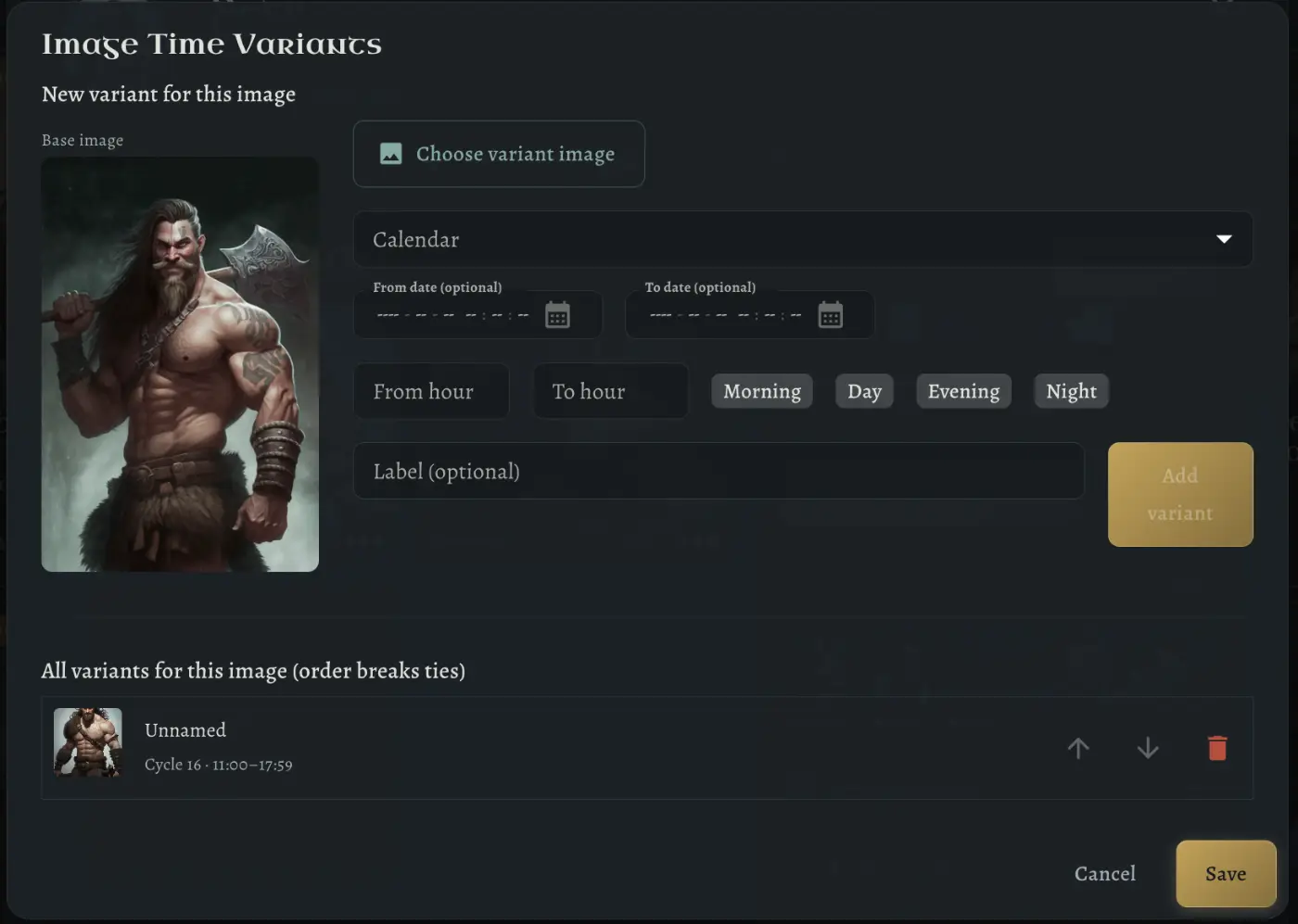
Open an image, choose the variant picture and say when it applies: a calendar, an optional date range and an hour range. Morning, Day, Evening and Night fill the hours in one click, and a range can run past midnight.
- Date ranges on your own campaign calendar
- Hour ranges, with Morning, Day, Evening and Night shortcuts
- An optional label for each variant
- Several variants per image; their order settles overlaps
When does the picture change?
Whenever the world clock moves. Advance the time during a session and every image with a matching variant switches for the whole table, with no manual swapping between scenes.
Frequently asked questions
Which images can have time variants?
Character portraits and location images, including the artwork in their galleries.
What if two variants match the same time?
The one higher in the list wins. Move variants up or down to decide which version takes priority.